Be right backNew
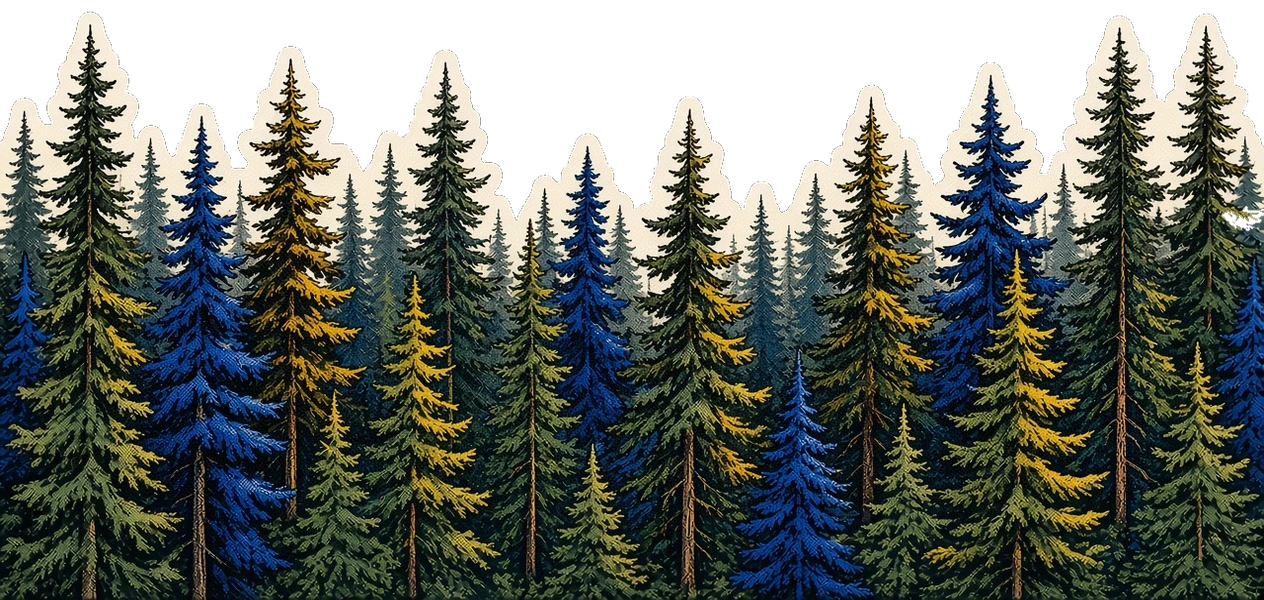
A translucent black veil over the camera, pine trees along the bottom, and “I'll be right back” in the middle. The camera shows through, so viewers can see when you step back in.
I'll be right back
Props
Layout
Desktop 16:9 for OBS, or mobile 9:16 for TikTok Live Studio.
Installation
Be right back is a browser-source overlay. Copy the URL for OBS or TikTok Live Studio. The live page has no site chrome and a transparent background.
In OBS, add a Browser source, paste the URL, and set the size to 1920 × 1080. Leave the page background transparent.
Usage
example.tsx
import { BeRightBack } from "@/components/stream/be-right-back";
export function Overlay() {
return <BeRightBack layout="desktop" title="I'll be right back" />;
}Browser source
Paste this URL into OBS or TikTok Live Studio. The query params match the props below.
browser-source.tsx
// OBS Browser source, 1920×1080. Leave the page background transparent so the camera shows through.
const src = "https://chandlerking.dev/live/be-right-back?layout=desktop&title=I%27ll+be+right+back";A translucent black veil over the camera. Pine trees sit along the bottom, and the line sits in the middle. Viewers can still see you through it.
Props
| Prop | Type | Default | Notes |
|---|---|---|---|
| title | string | "I'll be right back" | The line in the middle. Query `title`. |
| layout | "desktop" | "mobile" | Required | Canvas orientation. Desktop is 1920×1080 for OBS. Mobile is 1080×1920 for TikTok Live Studio. Query `layout`. |
| preview | boolean | false | Site-only helpers: a sample webcam fill, a looping alert, and a stinger replay control. Leave it off on the live route. |
Notes & Features
- See-through. The black is half transparent. In OBS, leave the browser source background transparent so the camera shows through the veil.
- Trees. The pine forest sticker sits along the bottom, above the veil, so the peaks stay solid.
Manual installation
Rather than the browser source, copy Be right back into a project. Install its dependencies, then copy all 2 files into the matching path.
Source files
src/components/stream/be-right-back.tsx
import type { CSSProperties } from "react";

import { OverlayRoot } from "@/components/stream/overlay-root";
import { footerConfig } from "@/config/site";
import { STREAM_COPY } from "@/config/stream-copy";
import type { StreamLayout } from "@/config/stream-components";
import { cn } from "@/lib/utils";

const DEFAULTS = STREAM_COPY["be-right-back"];

const night = {
  "--foreground": "oklch(0.985 0 0)",
} as CSSProperties;

export function BeRightBack({
  layout,
  title = DEFAULTS.title,
}: {
  layout: StreamLayout;
  preview?: boolean;
  title?: string;
}) {
  const mobile = layout === "mobile";
  const line = title ?? DEFAULTS.title ?? "";

  return (
    <OverlayRoot>
      <div style={night} className="absolute inset-0 text-foreground">
        <div className="absolute inset-0 bg-black/50" />
        {/* eslint-disable-next-line @next/next/no-img-element */}
        <img
          src={footerConfig.artwork.src}
          alt=""
          width={footerConfig.artwork.width}
          height={footerConfig.artwork.height}
          draggable={false}
          className={cn(
            "pointer-events-none absolute left-1/2 z-10 w-full max-w-none -translate-x-1/2 select-none",
            mobile ? "bottom-0" : "top-[56%]",
          )}
        />
        <p
          className={cn(
            "absolute inset-x-0 z-20 text-balance px-[8cqw] text-center font-serif leading-snug font-medium italic",
            mobile
              ? "top-1/2 -translate-y-1/2 text-[7.2cqw]"
              : "top-[34%] text-[3.6cqw]",
          )}
        >
          {line}
        </p>
      </div>
    </OverlayRoot>
  );
}
src/components/stream/overlay-root.tsx
import type { ReactNode } from "react";

import { cn } from "@/lib/utils";

export function OverlayRoot({
  children,
  className,
}: {
  children: ReactNode;
  className?: string;
}) {
  return (
    <div
      className={cn(
        "@container relative h-full w-full overflow-hidden pointer-events-none",
        className,
      )}
    >
      {children}
    </div>
  );
}